
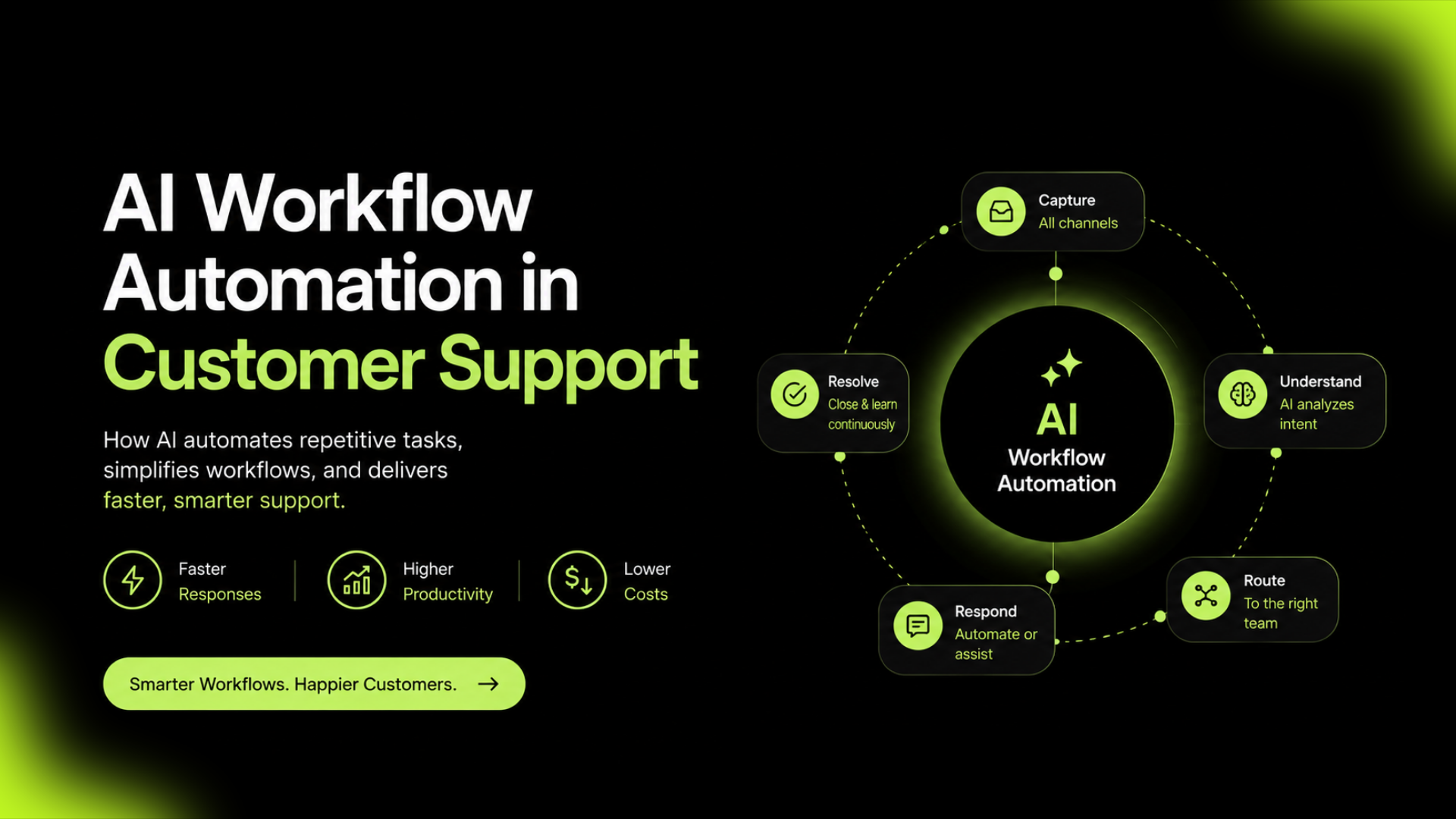
Customer support has changed dramatically over the past few years.
As businesses grow, so do customer inquiries. Emails, live chats, social media messages, and support tickets quickly pile up, making it difficult for teams to keep up with demand. Hiring more agents can help, but it isn’t always the most efficient or cost-effective solution.
This is where AI workflow automation comes in.
Instead of relying on employees to complete repetitive tasks manually, AI can automate routine support processes, allowing teams to focus on solving complex customer problems and delivering better experiences.
In this guide, we’ll explain what AI workflow automation is, how it works, its key benefits, common use cases, and how businesses can implement it successfully.
Related: Servia vs Zendesk: Which AI Helpdesk is Better? (2026)
How AI Workflow Automation Works
Although AI workflow automation sounds complex, the process is relatively simple.
Here’s what happens when a customer submits a support request.
Step 1: Customer Inquiry Is Received
The customer contacts your business through a communication channel such as:
- Live chat
- Facebook Messenger
- Website contact form
The request enters your customer support platform automatically.
Step 2: AI Understands the Request
Using Natural Language Processing (NLP), AI analyzes the customer’s message.
It identifies:
- The customer’s intent
- The type of issue
- The urgency level
- The overall sentiment
For example, AI can distinguish between:
“How do I update my billing information?”
and
“I can’t access my account after making a payment.”
Although both relate to billing, the second issue requires faster attention.
Step 3: The Workflow Is Triggered
Based on predefined workflows, AI automatically performs the next action.
This may include:
- Assigning the ticket
- Applying tags
- Sending an automated reply
- Escalating urgent requests
- Notifying a specialist
- Updating CRM records
Everything happens without manual intervention.
Step 4: Human Agents Step In When Needed
Not every customer issue should be fully automated.
If a request is complex or requires human judgment, AI routes it to the appropriate support agent with all relevant information already attached.
Agents spend less time gathering context and more time solving problems.
Related: The 5 Best AI Chatbots for Customer Service in 2026
Common AI Workflow Automation Examples
AI workflow automation can improve almost every stage of customer support.
Here are some of the most common use cases.
Intelligent Ticket Routing
Instead of manually assigning tickets, AI analyzes customer requests and routes them to the right team.
Examples include:
This reduces delays and improves first-response accuracy.
Automated Responses
Many customer questions are repetitive.
Examples include:
AI can instantly answer these questions, reducing ticket volume for support agents.
Ticket Prioritization
Not every support request has the same level of urgency.
AI identifies high-priority conversations based on keywords, customer history, and sentiment.
Critical issues move to the front of the queue automatically.
Follow-Up Automation
Customers often require updates after submitting a request.
AI can automatically:
This improves communication without adding extra work for the support team.
Internal Agent Assistance
Modern AI doesn’t just help customers.
It also supports agents by:
This allows agents to resolve tickets faster and more consistently.
Benefits of AI Workflow Automation
Faster Response Times
AI can begin processing customer requests immediately after they are received.
Customers receive acknowledgments, answers, or ticket assignments within seconds.
Improved Customer Experience
Customers appreciate quick, accurate responses.
By reducing wait times and directing requests to the right people, AI helps create smoother customer experiences.
Increased Team Productivity
Support agents spend less time on repetitive administrative tasks like:
- Sorting tickets
- Copying information
- Updating records
- Sending routine responses
Instead, they focus on solving more valuable customer issues.
Better Scalability
As businesses grow, customer conversations increase.
AI workflow automation allows support teams to manage larger workloads without significantly increasing headcount.
Greater Consistency
Manual processes often lead to inconsistencies.
AI follows predefined workflows, ensuring customers receive reliable and standardized support every time.
Related: Top 6 AI Helpdesk Software Compared: Features, Pricing & Use Cases (2026)
Best Practices for Implementing AI Workflow Automation
To get the most value from AI, businesses should follow a few best practices.
Start with Repetitive Tasks
Automate routine processes first, such as ticket routing, FAQs, and status updates.
These tasks provide quick wins without disrupting customer experience.
Keep Humans in the Loop
AI works best when combined with human expertise.
Always provide an easy way for customers to speak with a support agent when needed.
Train AI with Accurate Information
AI can only provide accurate responses if it’s trained on reliable documentation.
Keep your:
- Help center
- Knowledge base
- Internal documentation
- Product information
up to date.
Monitor and Improve Workflows
Customer needs change over time.
Review workflow performance regularly and update automation rules to improve efficiency.
How Servia Simplifies AI Workflow Automation
Managing customer support manually becomes increasingly difficult as businesses grow.
Servia helps businesses automate customer support workflows without adding unnecessary complexity.
With AI-powered workflow automation, Servia enables teams to:
Instead of spending valuable time on repetitive administrative tasks, support teams can focus on delivering exceptional customer experiences.
Conclusion
Customer support isn’t just about answering questions.
It’s about responding quickly, staying organized, and delivering consistent service as your business grows.
AI workflow automation helps businesses achieve exactly that.
By automating repetitive tasks such as ticket routing, prioritization, follow-ups, and customer responses, businesses can improve efficiency while giving support teams more time to focus on meaningful customer interactions.
Rather than replacing human agents, AI becomes a powerful assistant that helps teams work smarter, respond faster, and scale support operations with confidence.
Frequently Asked Questions
What is AI workflow automation in customer support?
AI workflow automation uses artificial intelligence to automate repetitive customer support tasks such as ticket routing, categorization, follow-ups, and automated responses.
How is AI workflow automation different from traditional automation?
Traditional automation follows fixed rules, while AI can understand customer intent, analyze conversations, and make intelligent decisions based on context.
Can AI workflow automation replace customer support agents?
No. AI is designed to handle repetitive tasks and assist support teams. Human agents remain essential for complex issues that require empathy and problem-solving.
What tasks can AI automate in customer support?
AI can automate ticket routing, customer replies, ticket prioritization, conversation summaries, follow-up emails, knowledge base suggestions, and workflow triggers.
Is AI workflow automation suitable for small businesses?
Yes. Small businesses can improve efficiency, reduce manual work, and provide faster customer support without significantly increasing their support team.